Calm finance — no bank connection
Cirola Pocket
Cirola Pocket never connects to your bank. You add your spending yourself — a receipt photo, a quick entry — and that small act keeps you aware of every purchase. Schedule your salary and bills, tag everything, and always know how much money you have left.*
* Price comparisons are crowd-sourced from receipts other people add. Coverage in your area grows as more people nearby use the app.

On iPhone, Android, and the web — available in Canada, the U.S., Europe, and Brazil. See how it works ↓
Prefer a big screen? Open Cirola Pocket in your browser →
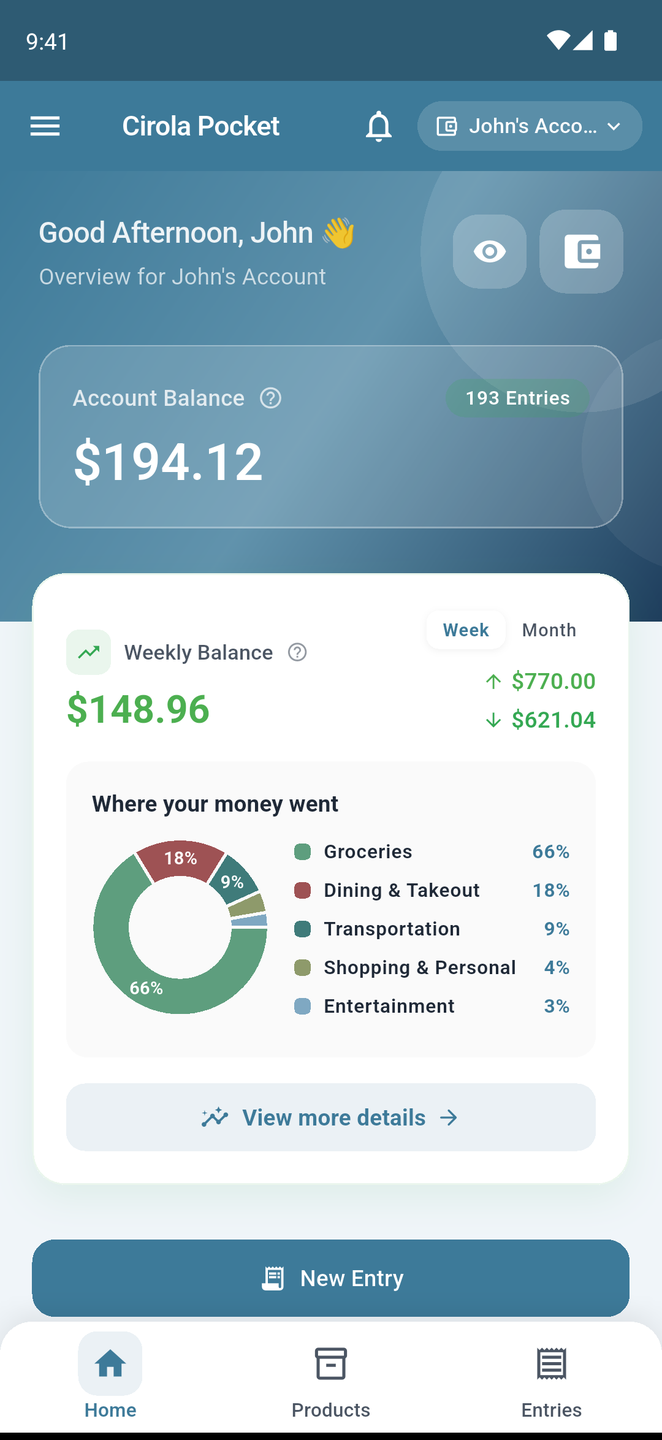
A bank account is easy to forget: you tap, you buy, and the number changes on its own. In Cirola Pocket you add every purchase yourself — a few seconds with a receipt — and that is what gives you back a sense of agency over your money.
The difference
Totals tell you that.
Tags and items tell you why.
Comparison based on publicly listed features and pricing as of July 2026. YNAB, Monarch Money, and Rocket Money are trademarks of their respective owners; Cirola is not affiliated with or endorsed by them.
What it does
A calm way to see your money
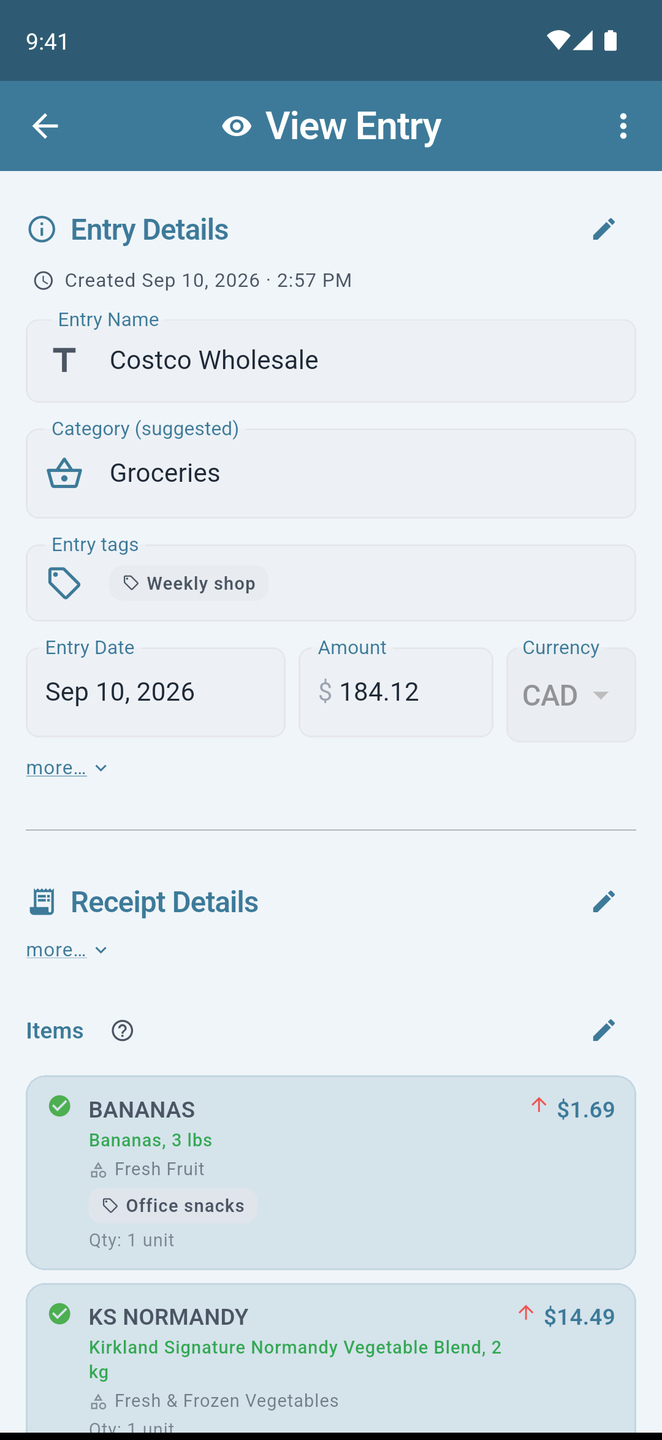
Every entry carries a category, tags and — when it came from a receipt — the items behind it. Cirola Pocket turns all of that into gentle, useful insight.
No bank connection
Pocket never asks for your bank login and never connects to your cards. There are no banking credentials here to leak, and no feed of transactions you don't remember — only what you chose to add.
Learn by doing
Snapping a receipt takes a few seconds — just enough to notice what you spent. That small pause is the point: you spend with more care when every purchase passes through your own hands.
Salary and bills, on a schedule
Add your salary, other income, rent, subscriptions and fixed bills as scheduled entries. They post themselves on the day they're due, so your month is already laid out when you open the app.
Calm analytics
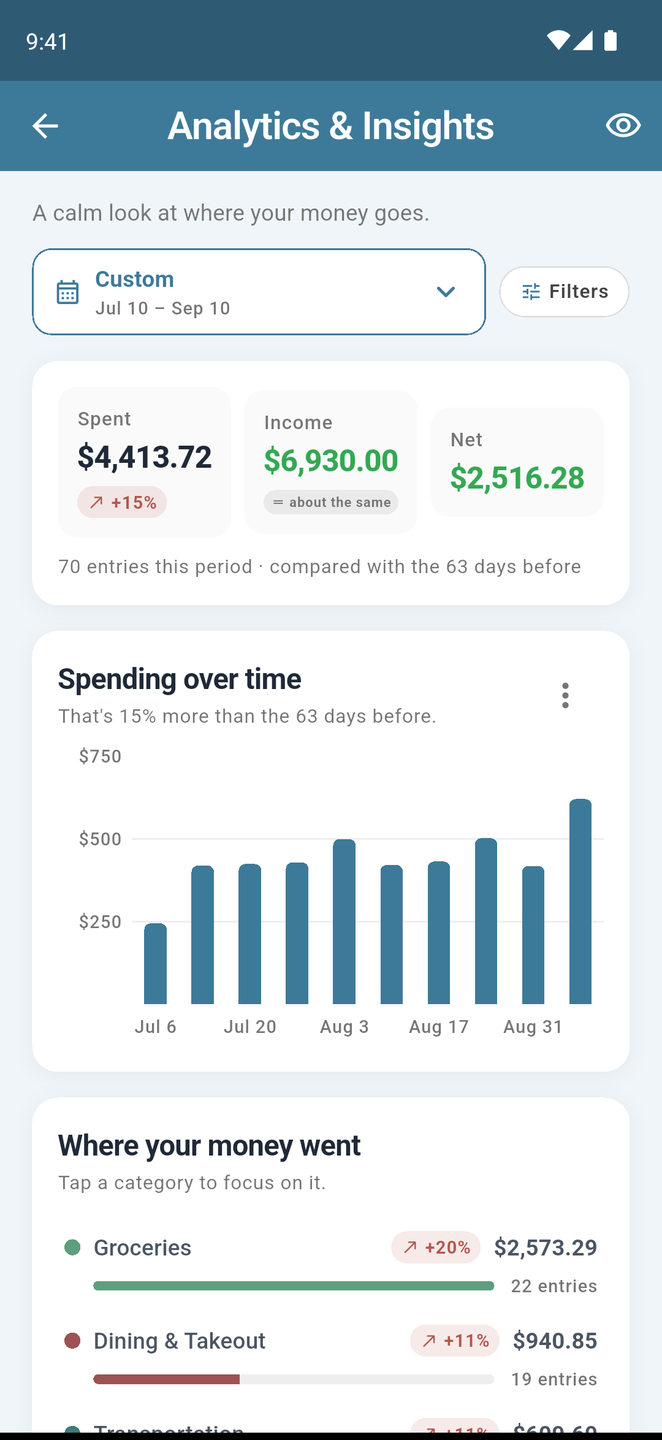
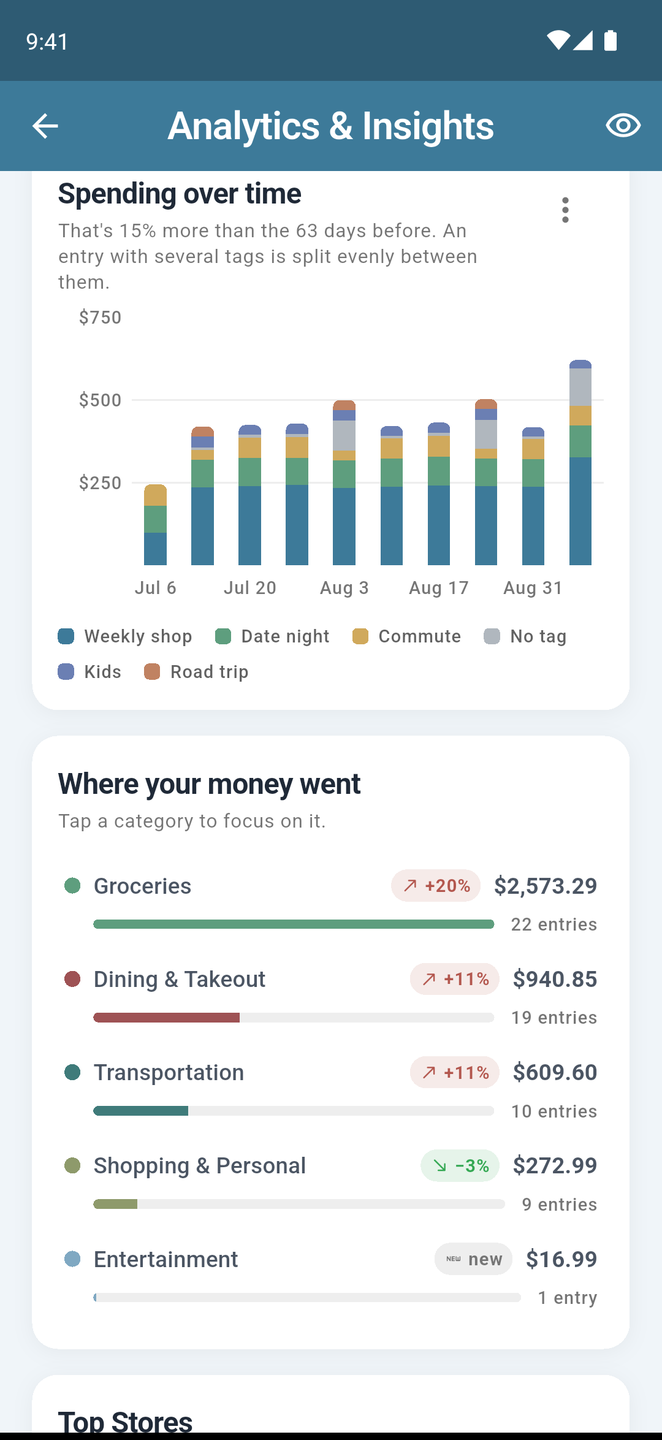
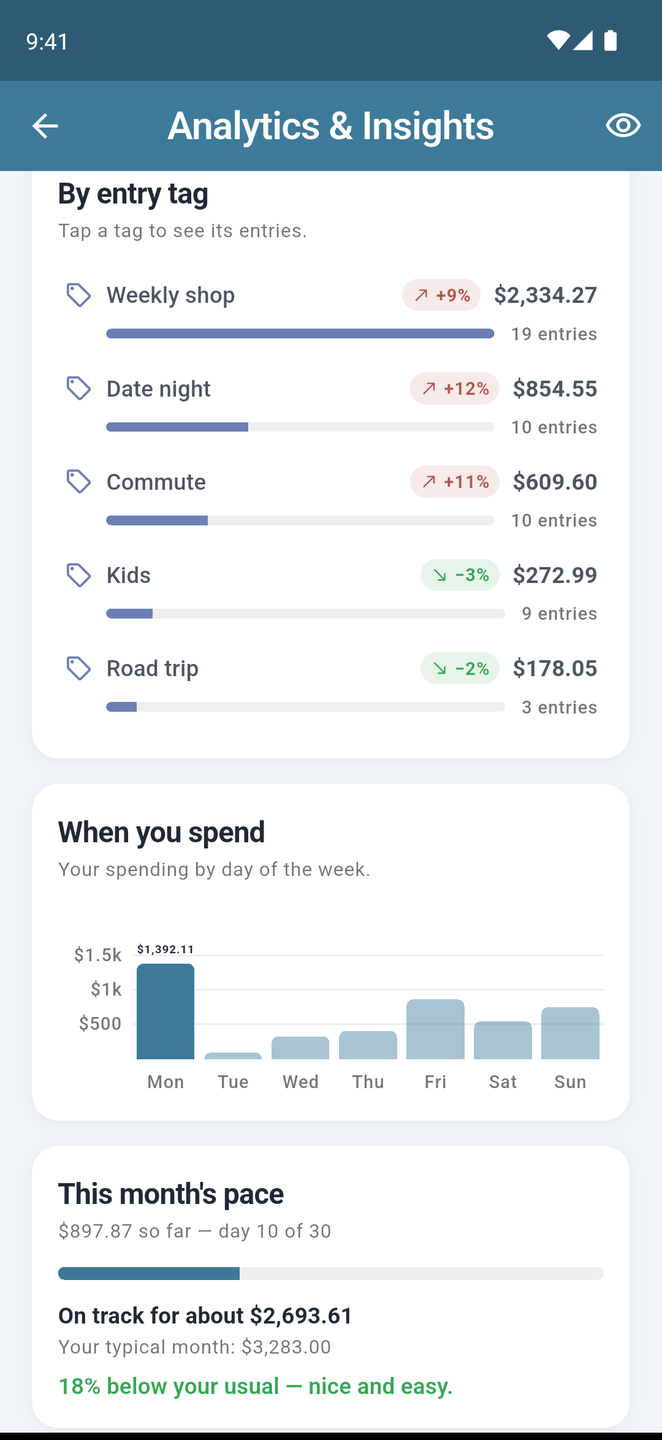
Spending over time, where your money went, top stores, when you spend, and this month's pace — each with a gentle comparison against the period before. Tap any row to see the entries behind it.
Tags, your way
Label entries and products with anything — road trip, kids, side business — then build reports by tag, category, store or product. With cash in set against spending, you always know how much money you have left.
Categories that fill themselves in
Every entry gets a budget category and every product a fine-grained one, automatically. Fix a miss once and Pocket remembers your pick.
Add spending any way you like
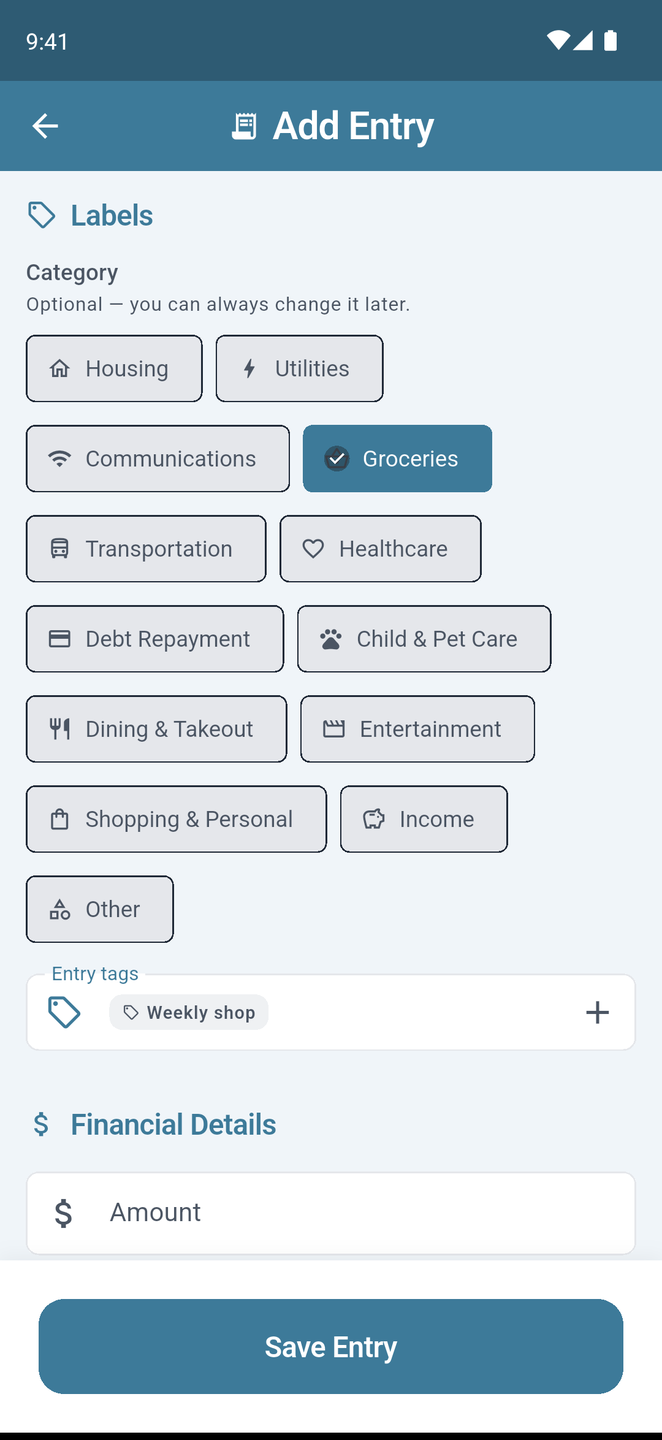
Snap a receipt, forward an order email to your own Cirola inbox, or type a quick entry with its category and tags. The scan runs OCR on the photo, so the store, date, total and every line item fill themselves in. Works offline; everything syncs when you're back.
Shared household accounts
Budget with your partner, your family, or your roommates. Everyone adds, everyone sees the totals, everyone stays on the same page — without sharing a single credit card.
Price tracking, item by item
Search products and compare real prices from nearby stores — free. Follow the items you buy, see a price history you can act on, and get a nudge when someone nearby paid less for the same thing.
Your dashboard, on the web
Everything syncs to cirola.com/app — the same insights, filters and tags, entries you can browse and edit, and your account, from any browser.
Export to QuickBooks & more
Your numbers are ready for your accountant: export any date range to QuickBooks, Excel, CSV, OFX, or QIF in one click from the web dashboard.
How it works
Three steps, every time
Add
A receipt photo, a forwarded email, or a quick manual entry — with a category and tags right there as you add it.
Understand
Pocket reads receipts into items, fills in categories, and remembers your tags for next time. Anything it wasn't sure about is flagged for a one-tap check.
Explore
Open Insights: see where your money went, filter by tags, stores or products, and tap through to the entries behind every number.
See it in action
Straight from the app
Real screens, real spending. This is what a calm month looks like in Cirola Pocket.
We don't sell your data. And our AI partners can't train on it.
Your receipts are parsed by Google's paid Gemini API (Vertex AI), not the free tier. Under Google's commercial data-governance terms, the content we send is not used to train their models and is not retained beyond processing. We don't track you across apps, we don't sell personal data, and we explain every piece of PII that might end up in a receipt — in plain English.
Pricing
Free does almost everything. Pro removes the limit.
Free
$0 / forever
Calm tracking, forever.
- ✓ Manual and camera entries
- ✓ 5 free AI receipt parses per month
- ✓ Search products and compare prices across stores
- ✓ Price tracking and price-change alerts
- ✓ Analytics, tags, categories and product insights
- ✓ Scheduled entries, shopping lists and shared accounts
- • Cloud images kept 30 days (up to 250/month)
- • One small non-personalized banner ad
Pro
$3.99 USD / month
or $34.99 USD / year (about 27% off)
Everything in Free, with every receipt read for you — for less than one coffee.
- ✓ Everything in Free
- ✓ Every receipt read by AI automatically — no 5-a-month limit*
- ✓ Email-receipt inbox
- ✓ Cloud images kept indefinitely*
- ✓ Ad-free
Subscriptions are billed through the App Store or Play Store. Cancel anytime from your device settings.
* Pro plan includes up to 250 AI-processed receipts and up to 250 cloud-stored images per month, with a cap of 40 items per receipt. These limits exist to prevent abuse and ensure a great experience for everyone.
Questions
Fair questions, straight answers
Do I have to connect my bank account?+
How much does it cost?+
Do you sell my data?+
Who sees my receipts?+
What if the AI misreads something?+
How do email receipts work?+
Where is my data stored?+
Is there an Android version?+
Can I export my data to QuickBooks or Excel?+
Cirola Pocket is here.
Free on the App Store and Google Play. Add an entry on your phone and it's on your web dashboard moments later.